
Billing: Download ClickFunnels Subscription Invoices
Published: Updated:
This article explains how to download invoices for your ClickFunnels subscription payments. These invoices document the charges for your ClickFunnels plan and serve as proof of payment. You can use them for accounting, tax purposes, or to track your billing history.
Requirements
Section titled “Requirements”- An active ClickFunnels account
How to Download Invoices
Section titled “How to Download Invoices”-
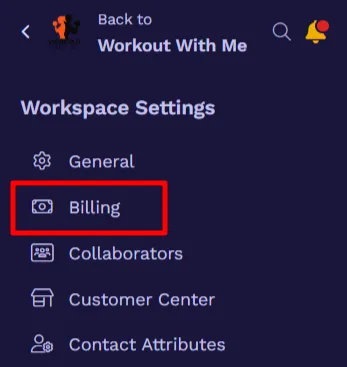
Click Workspace Settings on the left-side menu.
-
Select Billing from the sub-menu. This will open the Subscriptions tab of your profile in the ClickFunnels Customer Center.
-
Click the three dots to the right of the subscription and select View Subscription.
-
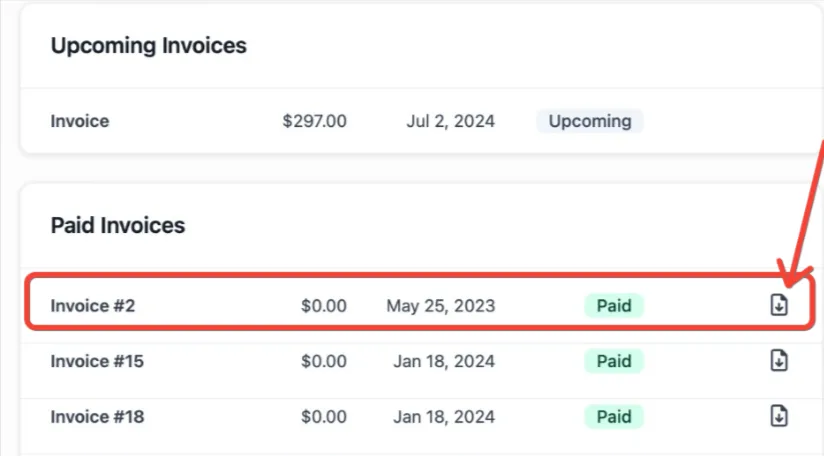
Scroll down to the Paid Invoices section, then click the Download icon to download your paid invoice.
