
How to Submit a Feature Request in ClickFunnels
Published: Updated:
Feature Requests allow you to suggest new functionalities or improvements in ClickFunnels. If you have an idea to enhance the platform, submitting a Feature Request is an easy way to share it with our Development Team. This article walks you through the steps to submit a request.
Requirements
Section titled “Requirements”- There are no requirements to submit a feature in ClickFunnels.
How to Submit a Feature Request
Section titled “How to Submit a Feature Request”-
Go to the Feature Request Page.
-
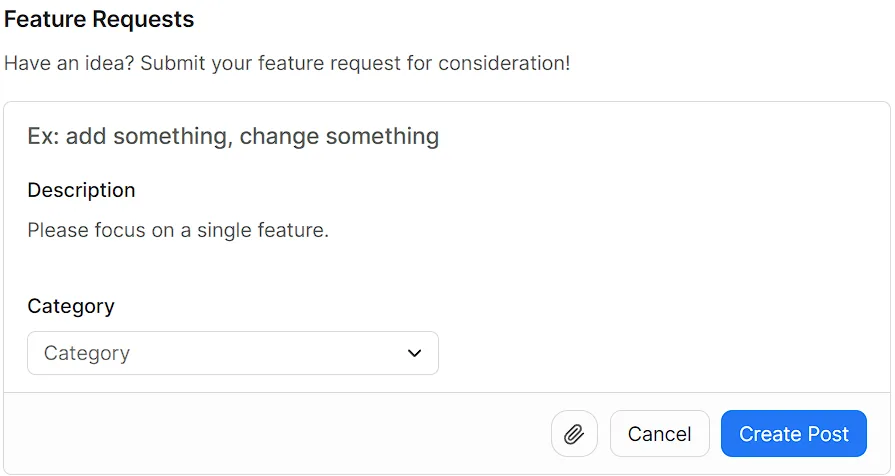
In the Summary field, provide a short description of your feature request.
-
In the Description field, give more details about the feature or change you’re suggesting.
-
Select a Category that best fits your feature request.
-
(Optional) Attach files or screenshots using the Attachment icon.
-
Click Create Post to submit your feature request.
Best Practices for Submitting a Request
Section titled “Best Practices for Submitting a Request”-
Be clear and specific about the feature or change.
-
Focus on how the feature benefits your business or improves functionality.
-
Provide examples, if possible.