CF Affiliate - How to Create a Custom Affiliate Code
Published: Updated:
Creating a custom affiliate code lets you personalize your links for specific campaigns or marketing channels. This makes it easier to track where your referrals are coming from and organize your performance data. In this article, you’ll learn how to create a custom code inside your Affiliate Center.
Requirements
Section titled “Requirements”What is a Custom Affiliate Code
Section titled “What is a Custom Affiliate Code”A Custom Affiliate Code is a unique identifier that affiliates can customize to make their affiliate URLs more memorable and branded. This custom code replaces the default system-generated affiliate ID in the URL, making it easier to share and remember.
For example:
-
Default Affiliate Link:
https://www.workoutwithme.xyz/masterclass?aff=8cbdfbb388836c73b302240703008e21d393cd1302124d1bc13106239f052931 -
Affiliate Link with Custom Code “Blog”:
https://www.workoutwithme.xyz/masterclass?aff=blog
Why Use Custom Affiliate Codes
Section titled “Why Use Custom Affiliate Codes”-
Branding and Personalization: Custom codes help in making the affiliate link more personalized and brand-specific.
-
Ease of Use: Shorter, meaningful codes are easier to remember and share across platforms.
-
Improved Tracking: Custom codes can help affiliates manage and track multiple campaigns effectively.
How Affiliates Can Create Custom Codes in the Affiliate Area
Section titled “How Affiliates Can Create Custom Codes in the Affiliate Area”-
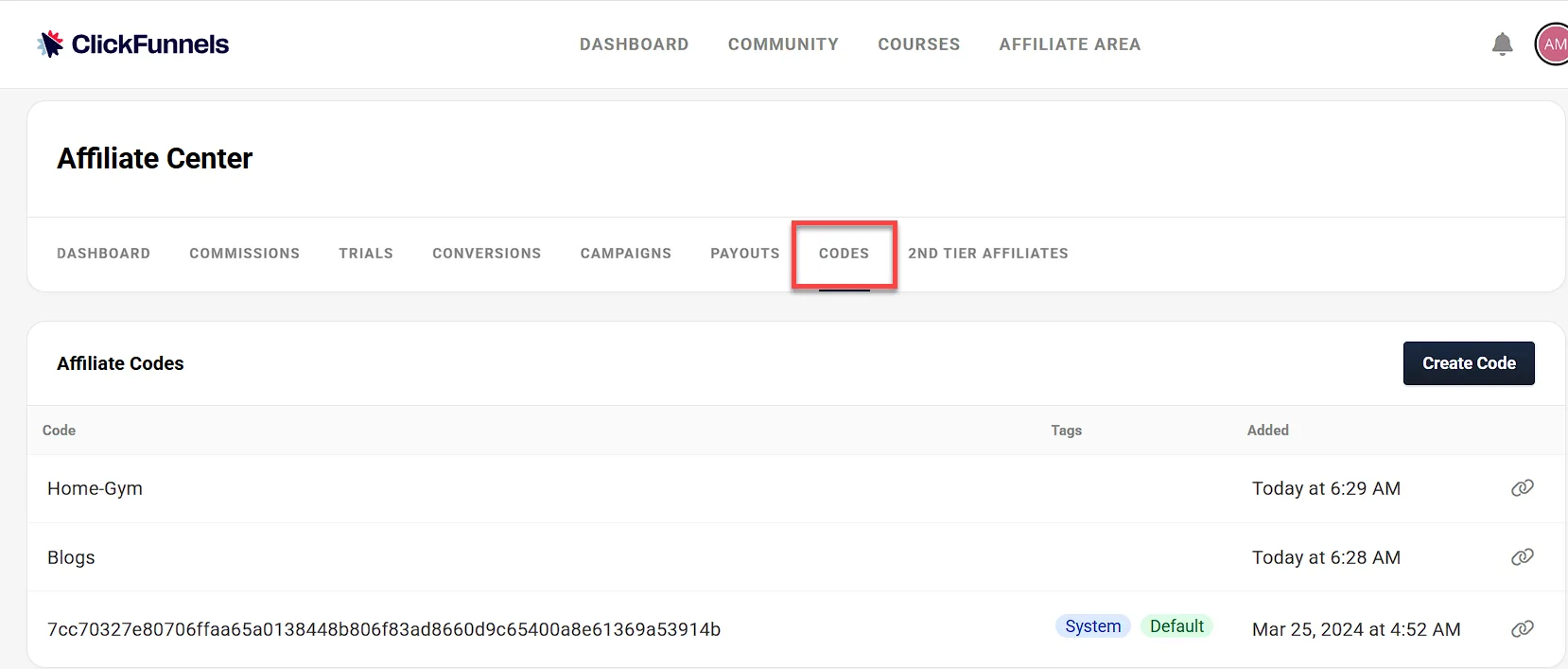
Open your Affiliate Dashboard to begin the setup process. If you’re a ClickFunnels user, access it from the CF2 Affiliate Center in your workspace menu or through the Referrals app. If you’re an external affiliate, log in through the Customer Center, then click Affiliate Program and select Affiliate Dashboard.
-
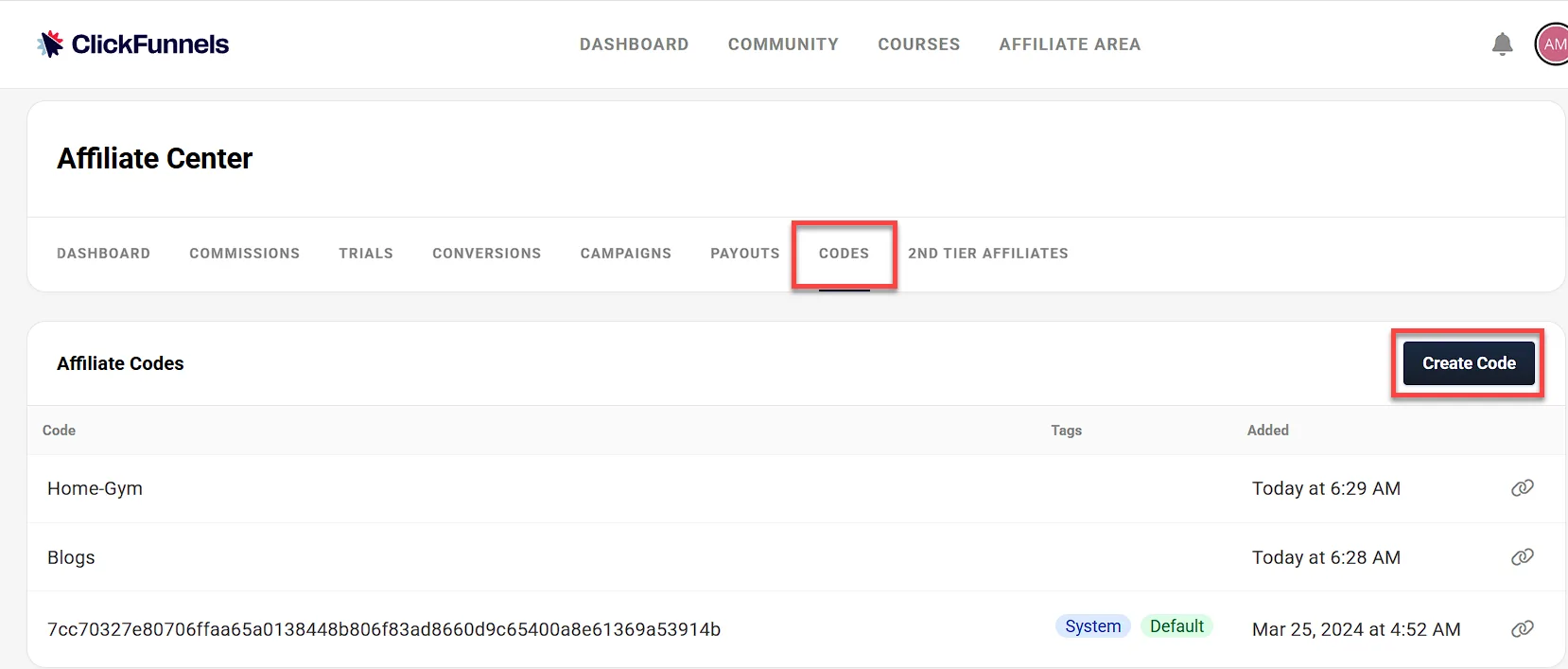
In the Codes tab, click on the Create Code button.
-
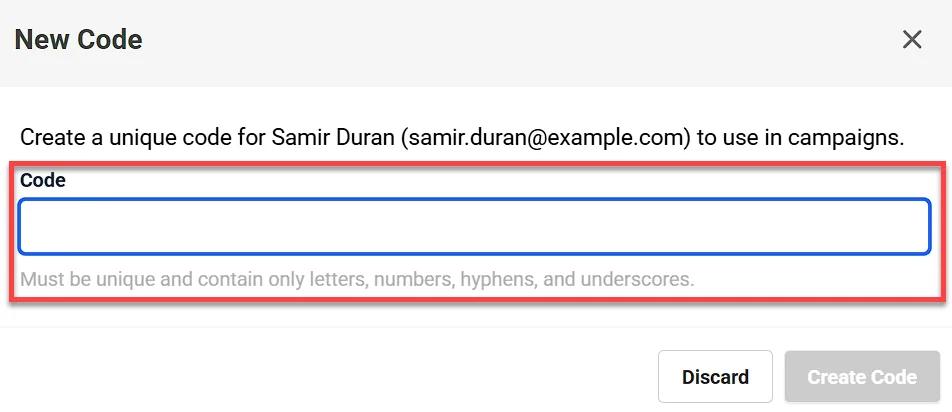
Enter the code in the Code field.
-
Once a unique code is entered, click Create Code to save it.
How to Generate an Affiliate URL with a Custom Code
Section titled “How to Generate an Affiliate URL with a Custom Code”After creating a custom affiliate code, affiliates can generate their customized affiliate URL:
-
Affiliates should log in to the affiliate area and navigate to the Dashboard tab.
-
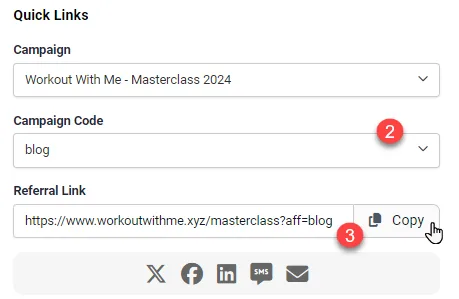
In the Quick Links section, affiliates can select the desired campaign and the custom code from the dropdown menus.
-
The custom URL will be displayed in the Referral Link field. Affiliates can copy this link and use it for promotions.
Tracking Commission Performance by Custom Codes
Section titled “Tracking Commission Performance by Custom Codes”To analyze how different custom codes perform in terms of generating commissions, affiliates must export the commission data:
-
Affiliates should log in to the affiliate area and navigate to the Commissions tab.
-
Click the Export button to download all the commissions into a CSV file.
-
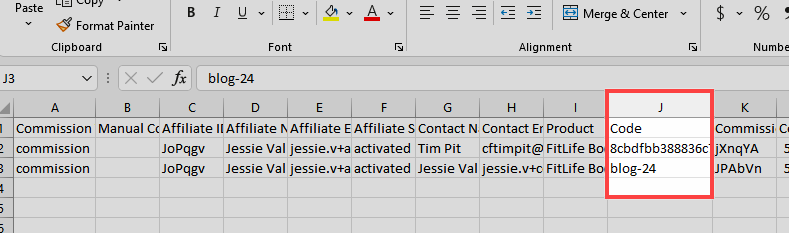
Open the CSV file and look for the Code column. This column will display the custom affiliate code associated with each commission. Affiliates can evaluate which custom codes have been most effective in generating commissions.