
How Do I Reactivate My ClickFunnels Account?
Published: Updated:
This article will discuss the steps to reactivate your ClickFunnels account. This can be done through self-service and does not require you to contact our support team. However, if you need assistance, feel free to reach out. Please refer to this article for more information about Contacting ClickFunnels Customer Support.
Requirements
Section titled “Requirements”-
A canceled ClickFunnels account
-
An active payment method
-
You must be the team owner. Team members see “Subscription expired. Contact owner to reactivate.” and need to ask the owner to follow these steps.
How to Reactivate ClickFunnels Account
Section titled “How to Reactivate ClickFunnels Account”-
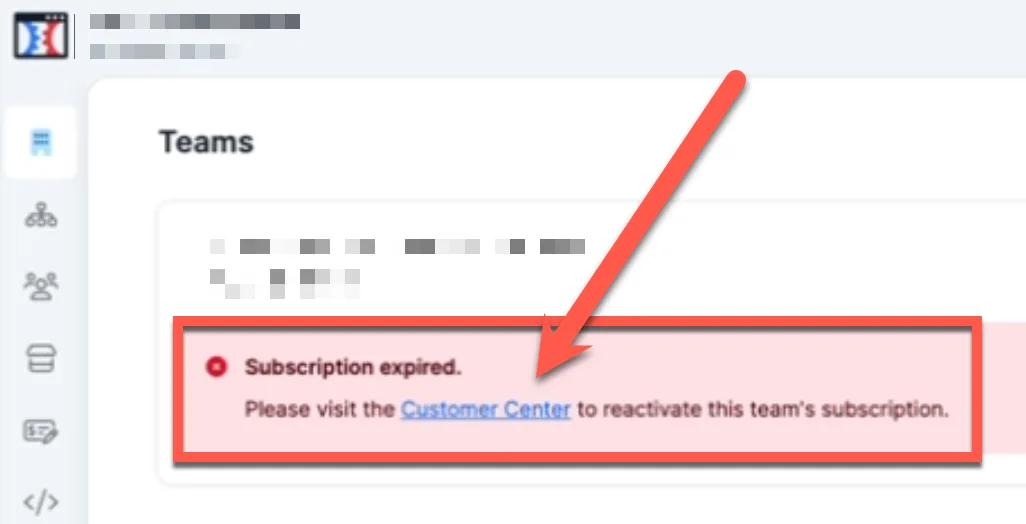
Log in to your account using the registered email address associated with the account. You are taken to the Teams page with this message: “The subscription for [team name] has expired. Please reactivate your subscription to regain access, using the link below.”
-
Find your team’s card. It shows an Expired badge and the text “Subscription expired. Reactivate”.
-
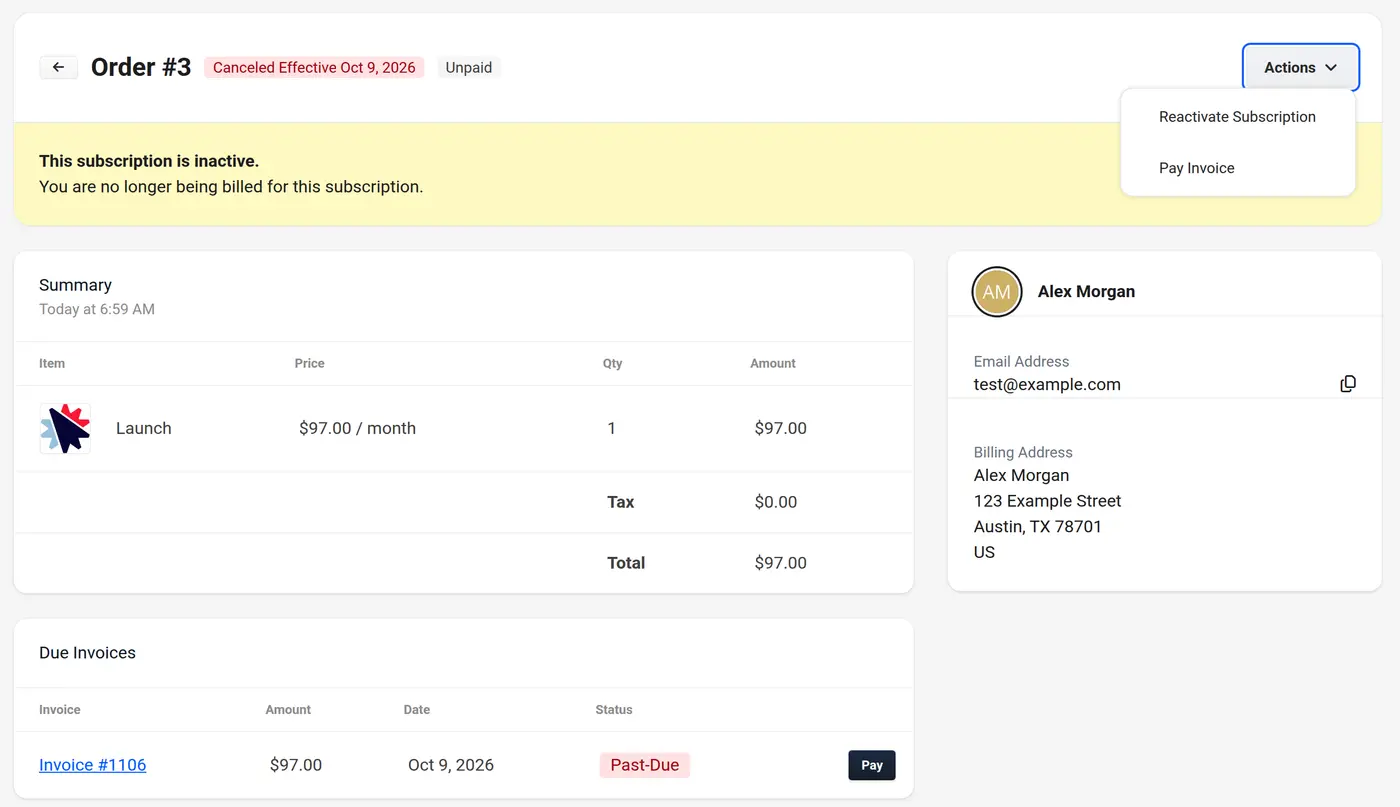
Click Reactivate. Your order opens in the ClickFunnels Customer Center in a new tab, with the notice “This subscription is inactive. You are no longer being billed for this subscription.”
-
Click Actions and select Reactivate Subscription.
-
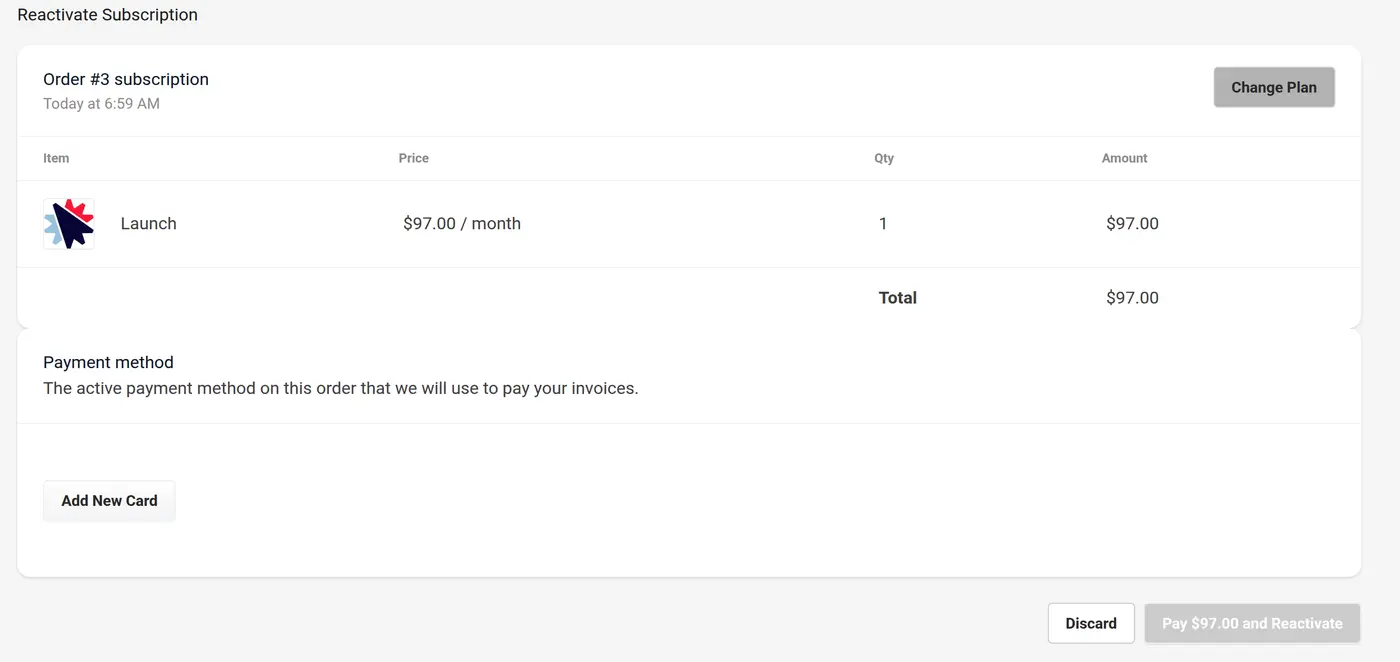
If you would like to change your plan, click the Change Plan button and select the plan you would like to be on.
-
You can use the card saved to your account, or you can click Add New Card.
-
Click the Pay [amount] and Reactivate button to reactivate the account.
-
You’ll see the message “Order was successfully reactivated.” Your billing cycle starts again on the day you reactivate.
If Your Plan Is No Longer Available
Section titled “If Your Plan Is No Longer Available”If your subscription is on a plan that can no longer be reactivated, the pay button is replaced by Change Plan. Click Change Plan, choose a current plan, and then complete the reactivation.
If You Can’t Find a Reactivate Link
Section titled “If You Can’t Find a Reactivate Link”If your team card shows “Subscription expired. Contact support” instead of a Reactivate link, click Contact support to get help reactivating your account.