
Collaborators: Collaborator Roles
Published: Updated:
In this article, you will find an explanation of collaborator roles and the corresponding permissions they grant to collaborators. Collaborator roles effectively assign specific tasks to your co-workers while restricting their access to only the designated role. This approach ensures a secure environment for each section of your workspace.
Requirements
Section titled “Requirements”-
An active ClickFunnels 2.0 account
-
A collaborator
Collaborator Roles
Section titled “Collaborator Roles”-
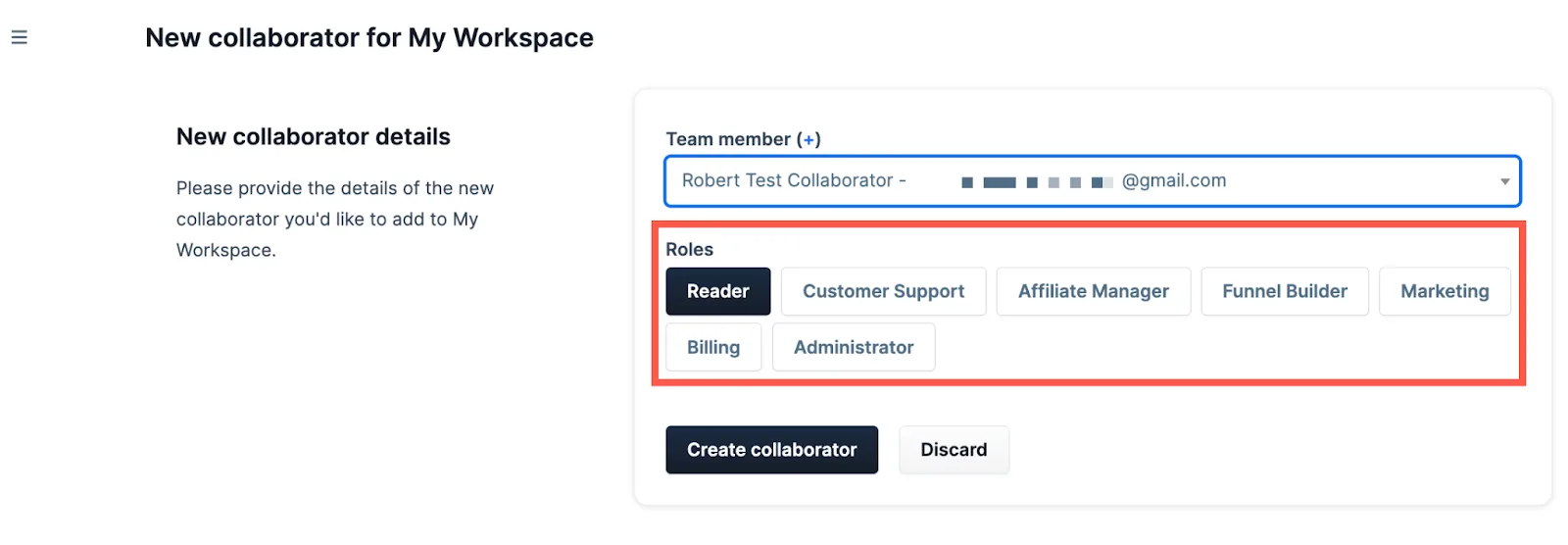
Reader: The Reader can view the general site and funnel pages but cannot make any changes or actions. The Reader also cannot view sensitive information, like settings and Payments AI.
-
Customer Support: The Customer Support role can only manage contacts and orders but not delete them.
-
Affiliate Manager: Can manage all the affiliates with the same permissions as a Reader.
-
Funnel Builder: This allows you to edit, manage, and change (also delete and archive when available) Contacts, Courses, Blogs Sites, Funnels, Workflows, Workspaces, Products, Orders, and Teams.
-
Marketing: This role can manage the Marketing section of a Workspace only.
-
Billing: This role permits the management of a workspace’s Payments AI.
-
Administrator: The Administrator role can view everything and do all actions.