
'Revoke Community Access' Step - Automatically Remove Community Access
Published: Updated:
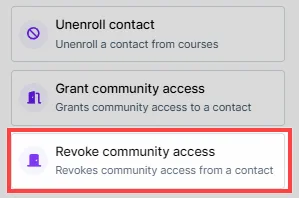
The “Revoke Community Access” step in ClickFunnels workflows allows you to automatically remove a contact’s access to a specific community or group within your ClickFunnels workspace. This is useful for managing memberships when access needs to be restricted, such as when a subscription expires or when a user no longer meets the criteria for a community. In this article, you will learn how to configure the “Revoke Community Access” step to effectively manage community memberships.
Requirements
Section titled “Requirements”-
An active ClickFunnels account
-
A workflow created in your workspace
-
The desired community group published in your workspace
Adding the “Revoke Community Access” Step to Your Workflow
Section titled “Adding the “Revoke Community Access” Step to Your Workflow”-
Navigate to the Automations app and select Workflows.
-
Open an existing workflow or create a new one.
-
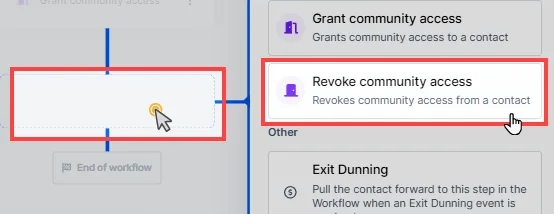
Click on the Plus Icon (+) in your workflow editor.
-
Select the Revoke Community Access step under the Internal category.
Configuring the “Revoke Community Access” Step
Section titled “Configuring the “Revoke Community Access” Step”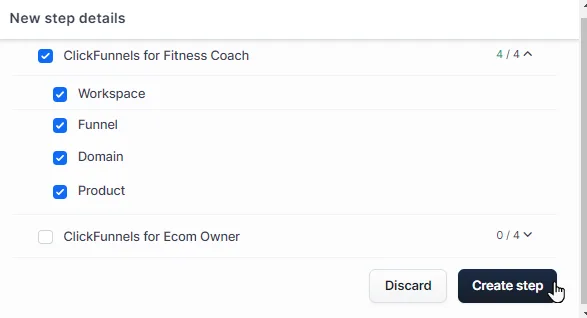
-
Select Community Group or Topics:
-
When adding the “Revoke Community Access” step, a dialog box will appear where you can select which community group or group topic to revoke access from.
-
Expand the community categories and check the box next to the specific community group or topic to revoke access.
-
-
Save the Step:
- After selecting the desired community or group topic, click Create Step to save the revocation action in the workflow.