How to Pause Your Account
Published: Updated:
In this article, we’ll guide you through temporarily pausing your ClickFunnels account using the Pause Plan feature. This option is perfect when you anticipate a temporary break from using your account but intend to resume its use in the future.
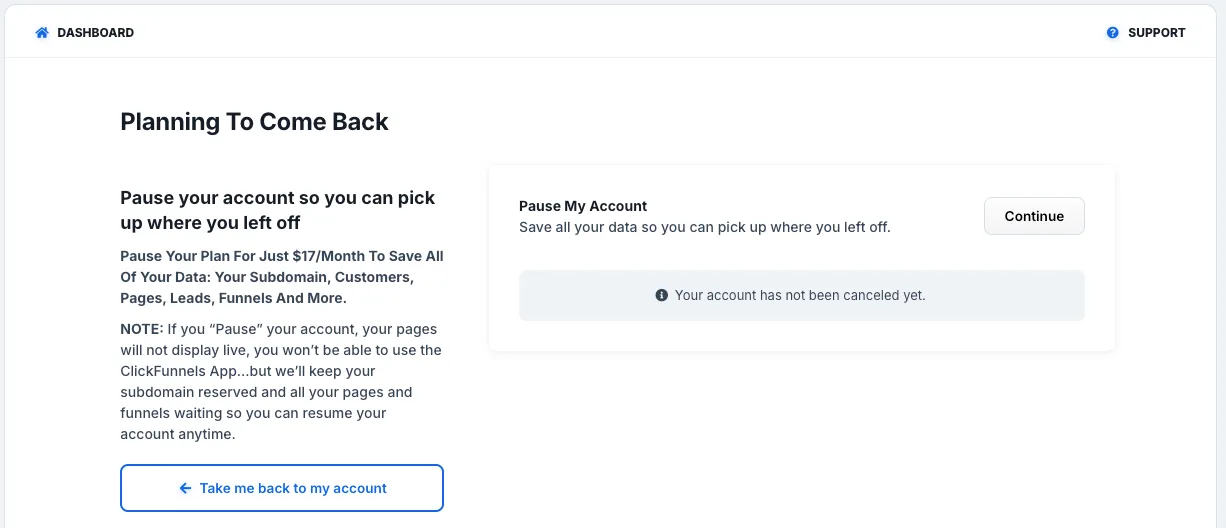
Pausing your account entails temporarily suspending access to your funnels, courses, integrations, and other active features for both you and your customers. During this period, your account will be in a dormant state with a banner on your funnels until you decide to upgrade to a higher plan and reactivate it.
You will not be able to access any information or build funnels but you will be able to login to your Paused account and upgrade.
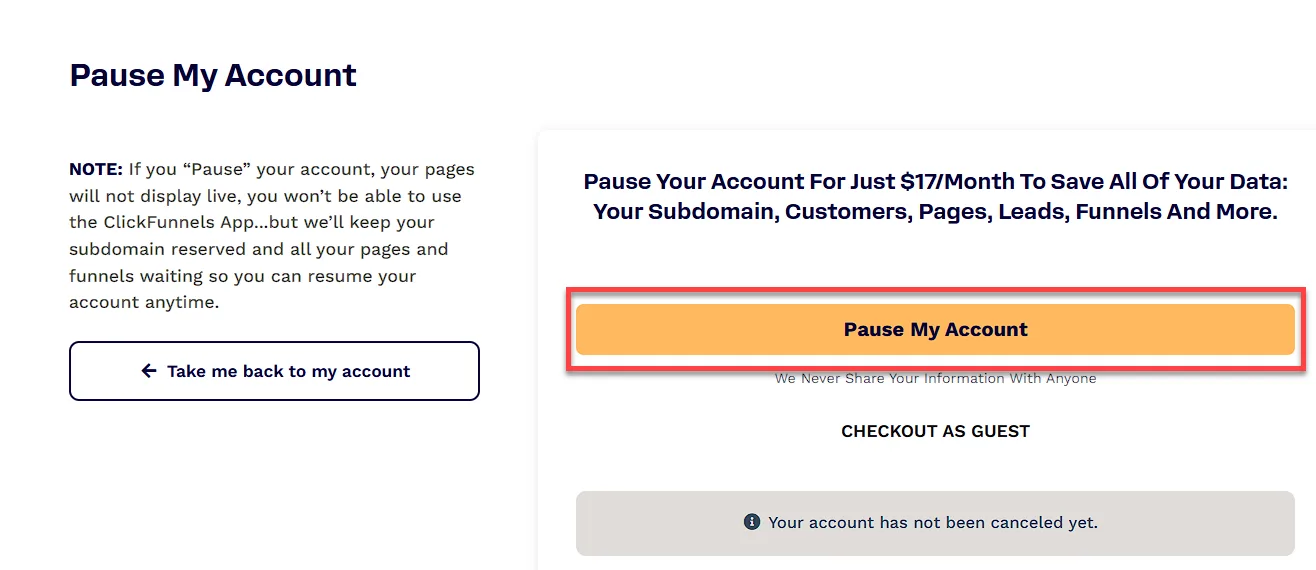
A nominal fee of $17/month is associated with the Pause plan, which covers the storage of all your funnels, courses, and integrations until you choose to return.
Requirements
Section titled “Requirements”- An active ClickFunnels account
How to Pause Your Account
Section titled “How to Pause Your Account”-
Click Workspace Settings at the bottom of the left-hand navigation menu to open your ClickFunnels Workspace Settings.
-
Select Billing from the sub-menu. This will open your profile in the ClickFunnels Customer Center in a new tab.
-
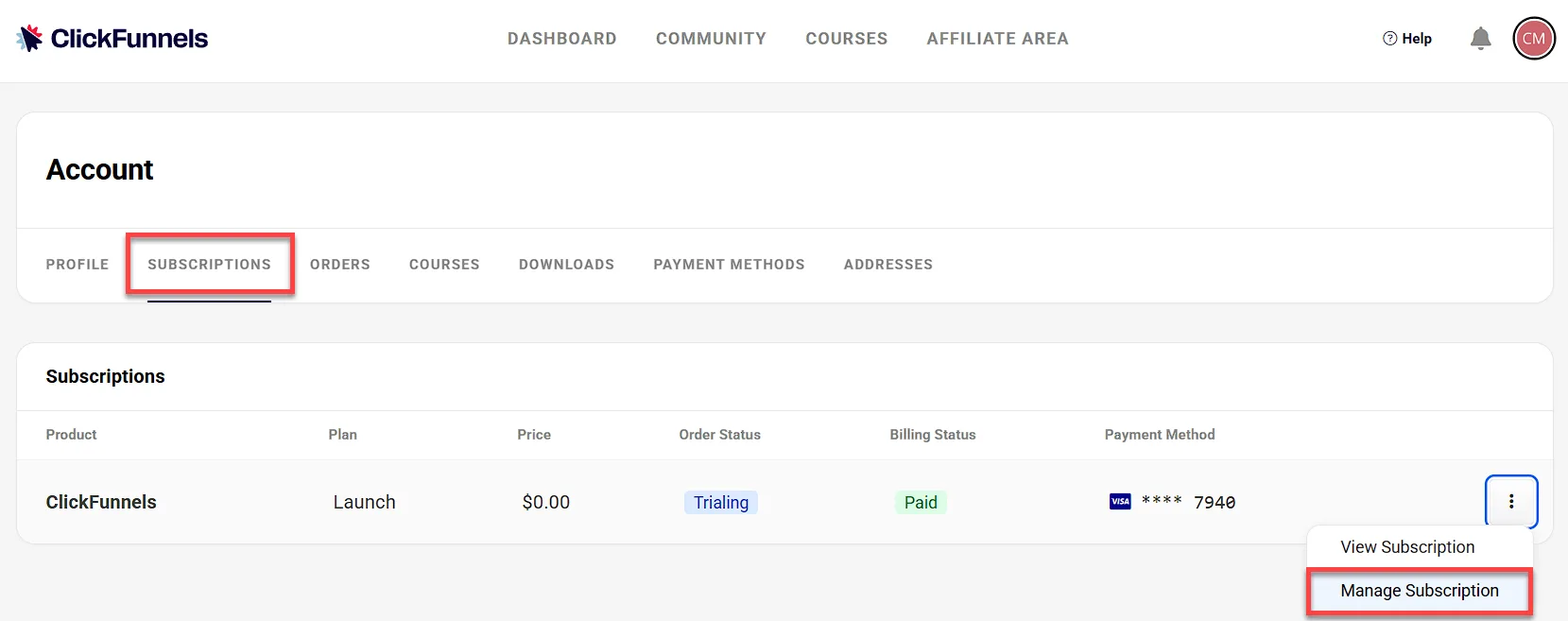
In the Subscriptions tab, find the plan you want to pause under Subscriptions.
-
Click the three-dot icon to the right of the plan to open a drop-down menu.
-
Select Manage Subscription from the drop-down menu to access the Subscription Pricing Plans page.
-
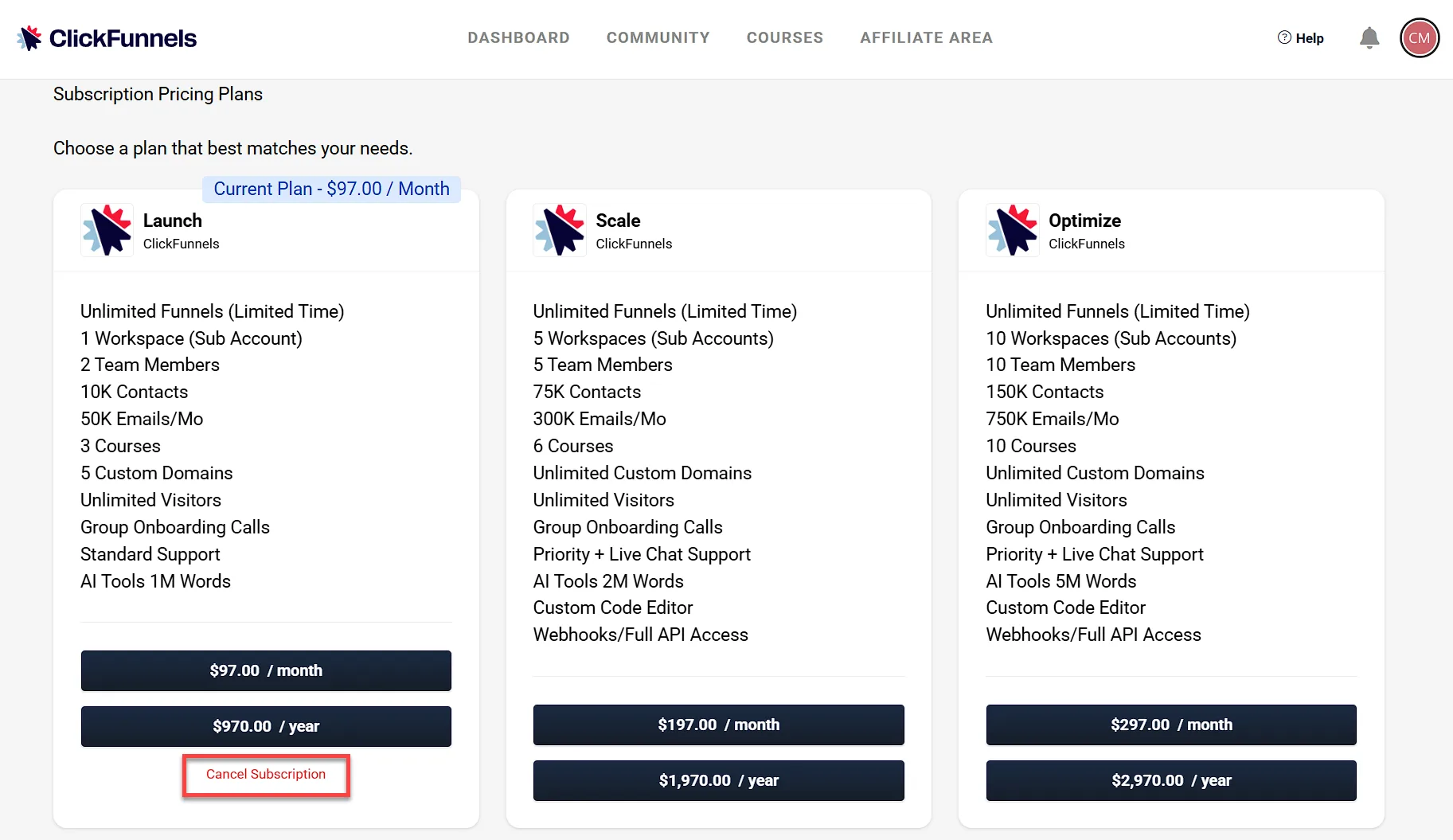
Click Cancel Subscription under your current plan to start the cancellation process.
-
Click the Planning on Coming Back button.
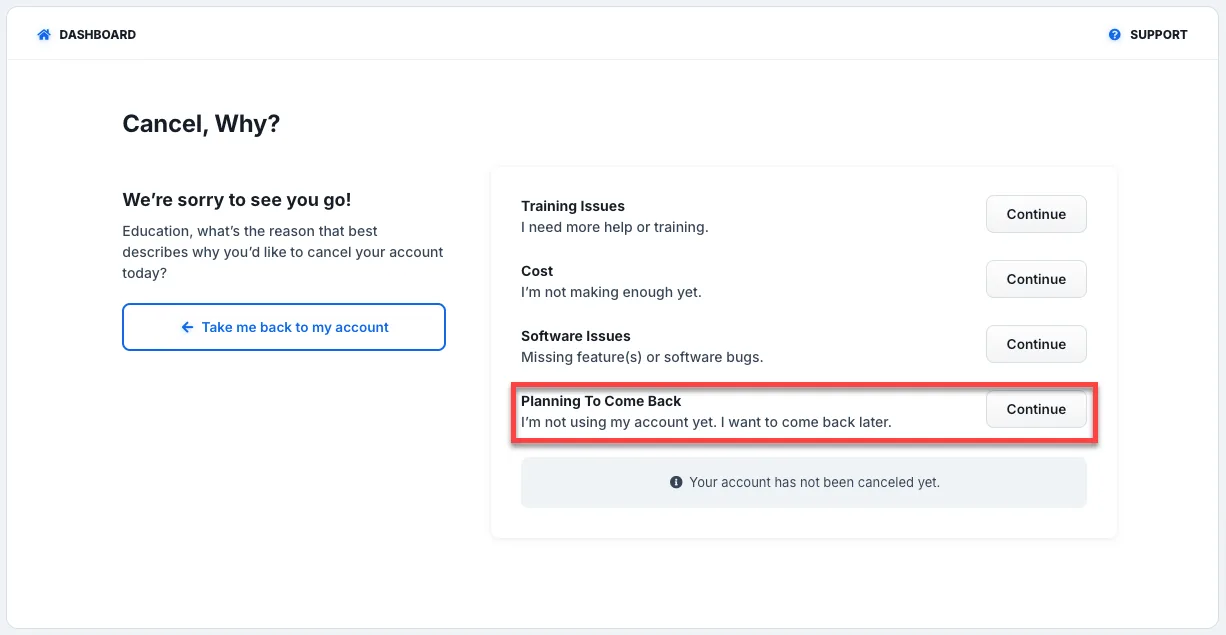
-
Click Continue to proceed with pausing your account.
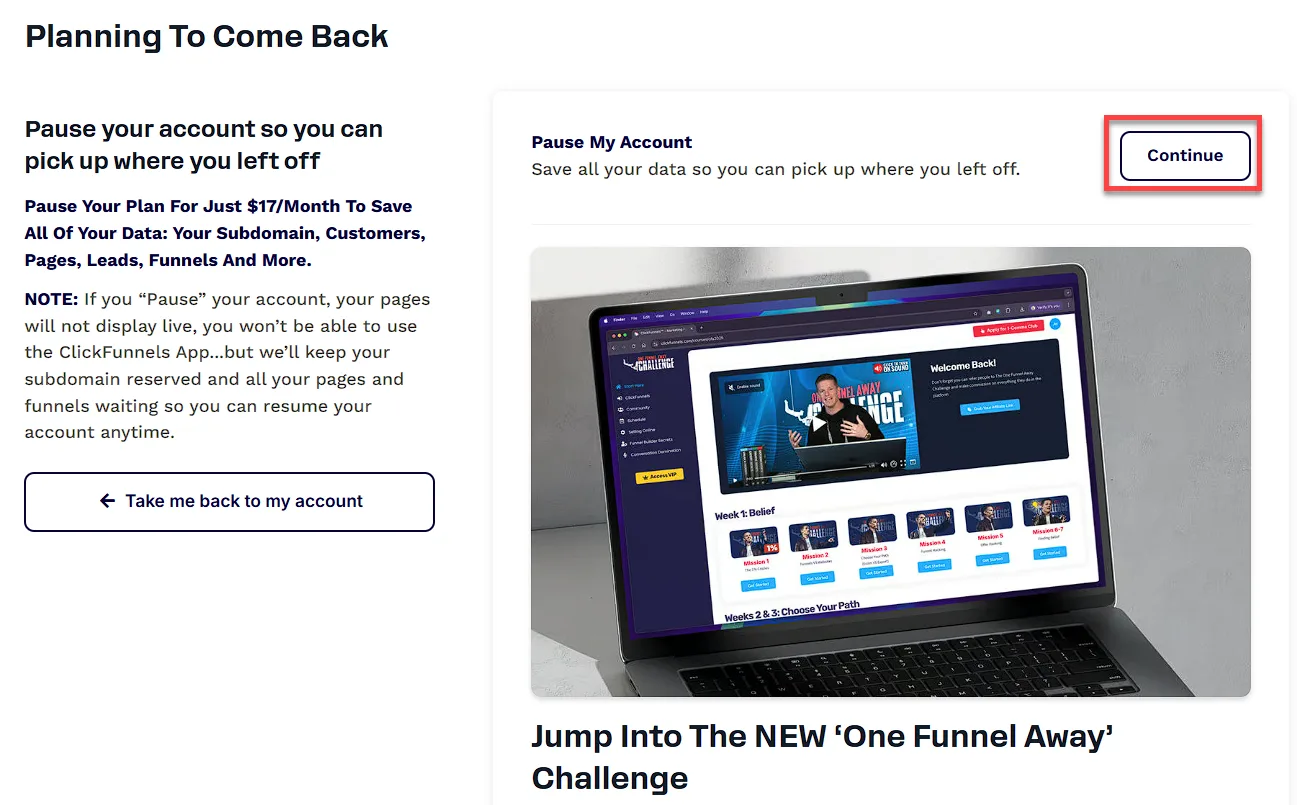
-
Review the details of the paused plan, then click Pause My Account to confirm and complete the process.