CF Affiliate - Where Can I Find My Affiliate Links?
Published: Updated:
A ClickFunnels affiliate link is a unique URL assigned to you when you join the ClickFunnels affiliate program. This URL serves as a tracking mechanism, allowing ClickFunnels to attribute sales generated through your referrals. In essence, it’s your digital fingerprint that ensures you receive commissions for driving sales to ClickFunnels.
In this article, we will show you how to locate your Affiliate links so that you can start promoting ClickFunnels products.
Requirements
Section titled “Requirements”Accessing the Affiliate Dashboard
Section titled “Accessing the Affiliate Dashboard”The affiliate dashboard is where you manage your activity as a ClickFunnels affiliate. It includes your referral links, commission tracking, payment setup, and promotional tools. Whether you’re an active ClickFunnels user or an external affiliate, this is the central place to monitor your performance and complete required account steps.
Affiliates can access their dashboard in two ways, depending on whether they are ClickFunnels users or standalone affiliates who joined through the registration page.
For ClickFunnels Users
Section titled “For ClickFunnels Users”If you have a ClickFunnels account, there are two ways to access the affiliate dashboard:
-
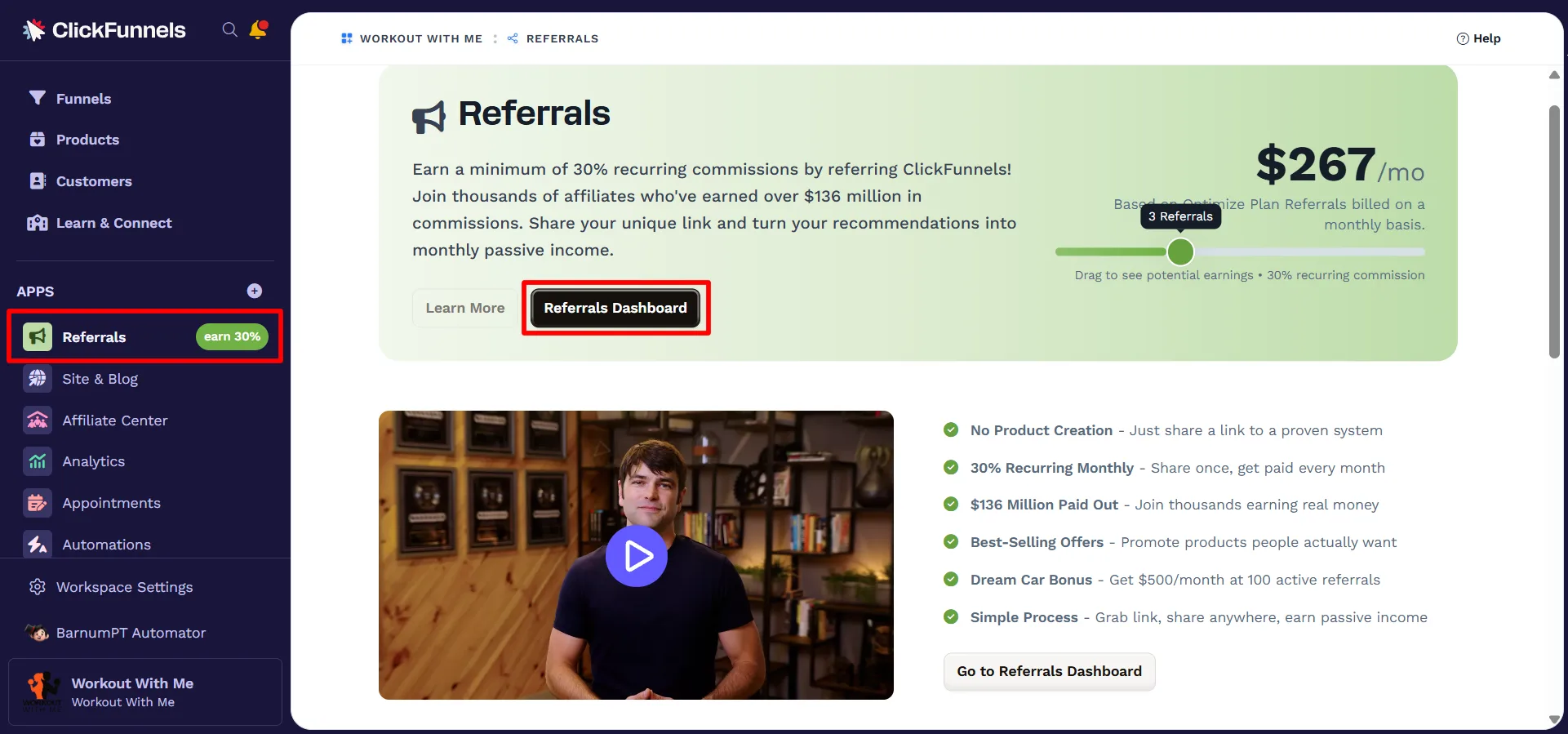
From the Referrals app
-
From the side menu, click Referrals under the Apps section.
-
In the Referrals screen, click the Referrals Dashboard button to open your affiliate dashboard.
-
-
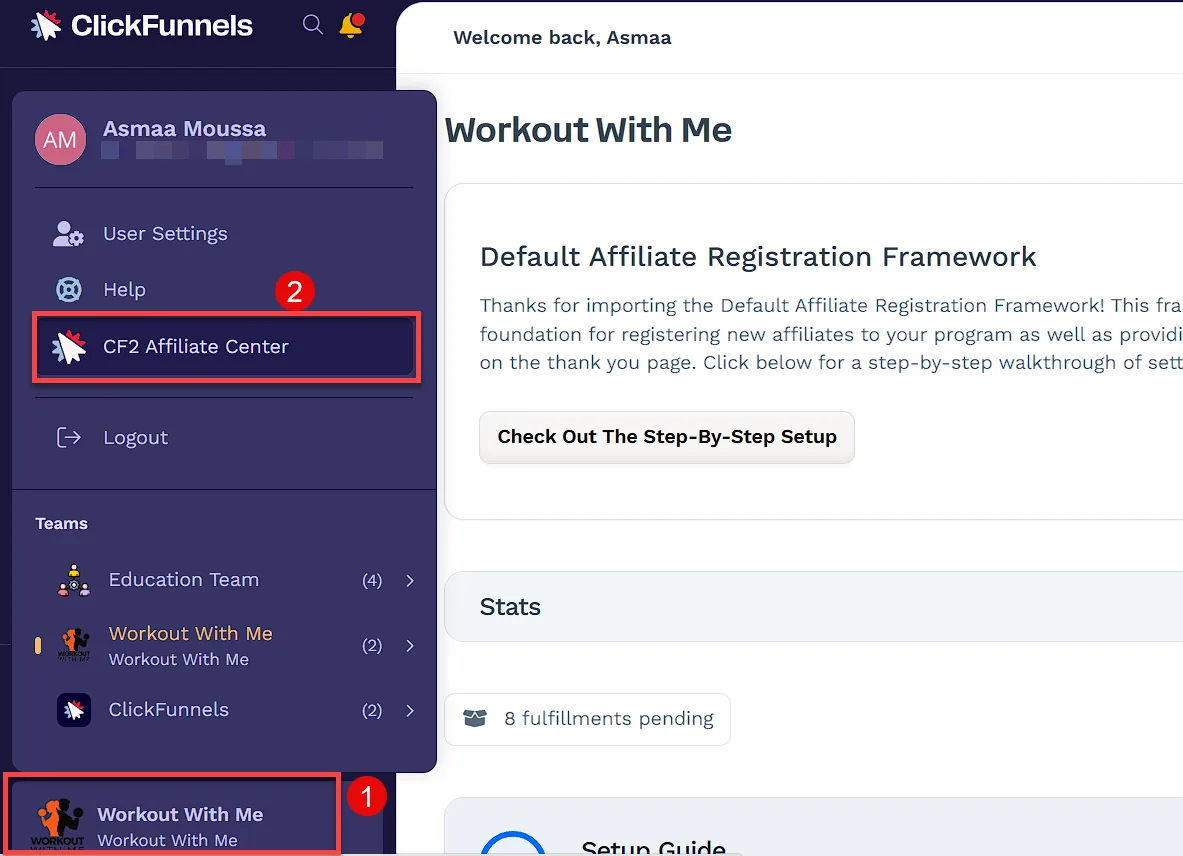
From your profile menu
-
Click your workspace name in the bottom-left corner.
-
Select CF2 Affiliate Center from the menu
-
For All Affiliates (Users and Non-Users)
Section titled “For All Affiliates (Users and Non-Users)”All affiliates, including ClickFunnels users, can also access their affiliate dashboard through the Customer Center:
-
Go to the ClickFunnels Customer Center.
-
If you’re not already logged in, you’ll be prompted to enter your email address.
-
You’ll receive an email that includes both a one-time code and a magic login link. You can enter the code or click the link to complete your login.
-
Click Affiliate Program at the top of the page and select Affiliate Dashboard.

Accessing Your Campaign Links
Section titled “Accessing Your Campaign Links”Affiliate links are tied to campaigns created in the Affiliate Center. These links track your referrals and are required to earn commissions.
To find your affiliate links, go to the Affiliate Center and follow one of the methods below:
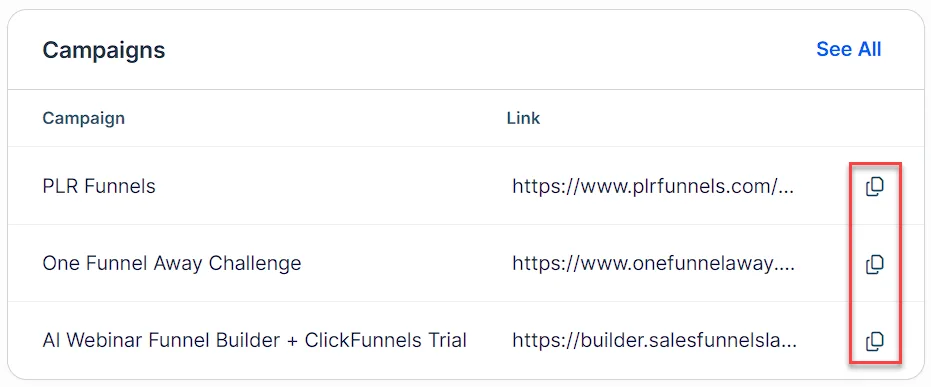
From the Dashboard tab
Section titled “From the Dashboard tab”-
Scroll down to the bottom of the Dashboard tab to access the Campaigns section.
-
Find the campaign you want to promote.
-
Click the copy icon next to the link to copy it.
-
Click See All to view the full list of available campaigns.
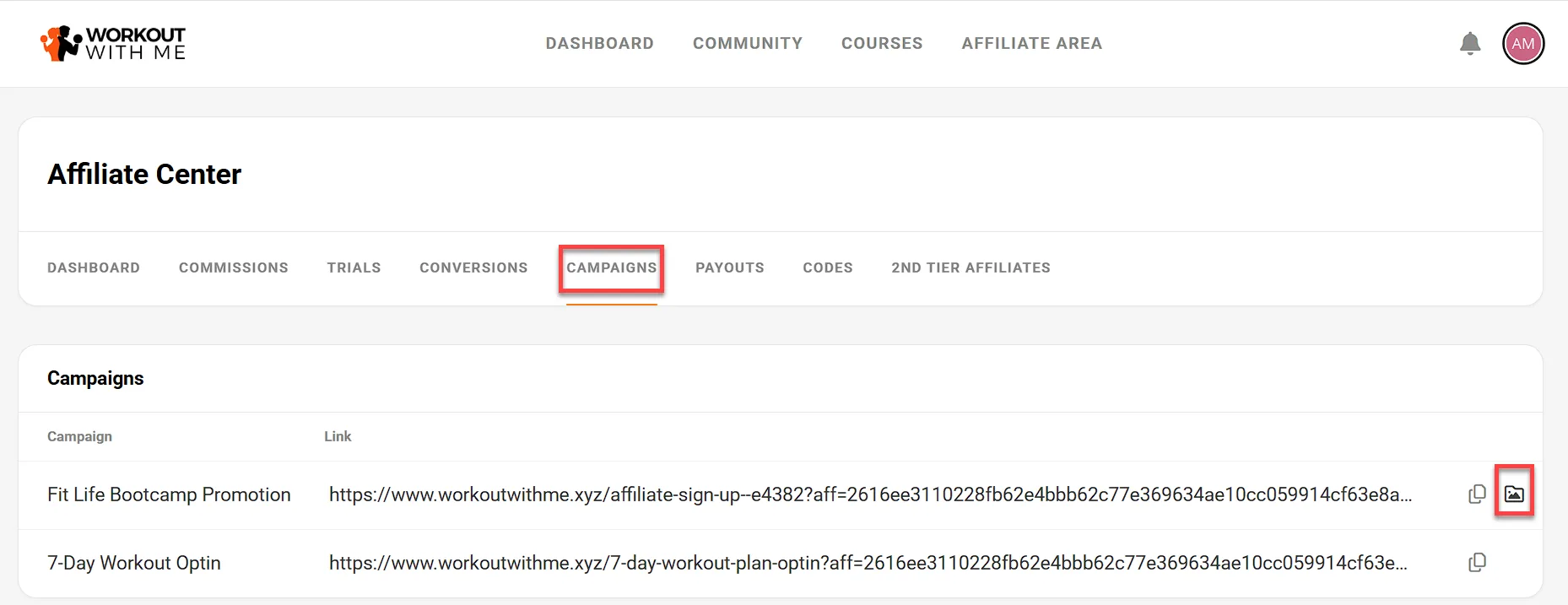
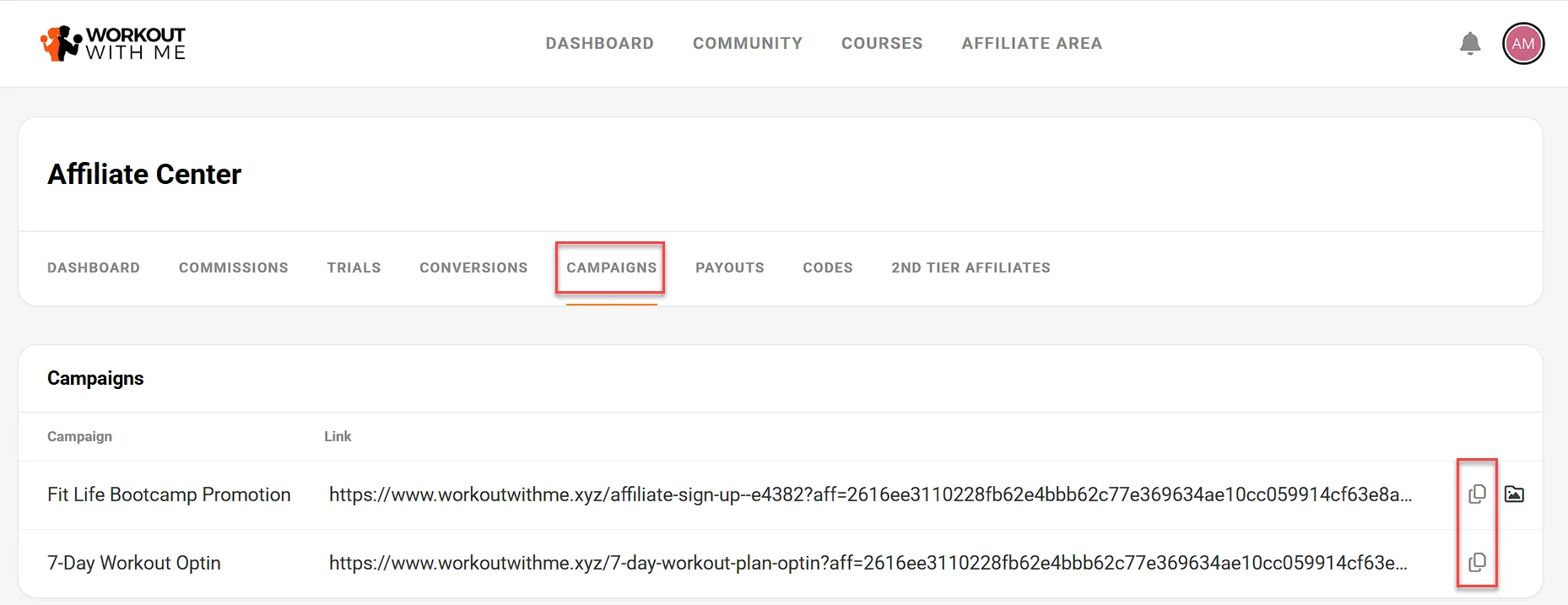
From the Campaigns tab
Section titled “From the Campaigns tab”-
Click the Campaigns tab in the top navigation.
-
Locate the campaign you want to use.
-
Click the copy icon to copy the link.
Accessing Campaign Assets
Section titled “Accessing Campaign Assets”Some campaigns include promotional materials such as banners or email copy.
-
Click the campaign assets icon next to the link to open available assets.